Know what’s due before it’s overdue.
Fleet Ledger keeps your drivers’ credentials and your vehicles’ insurance, registration, inspections and service in one shared record, and reminds the right people before anything lapses.
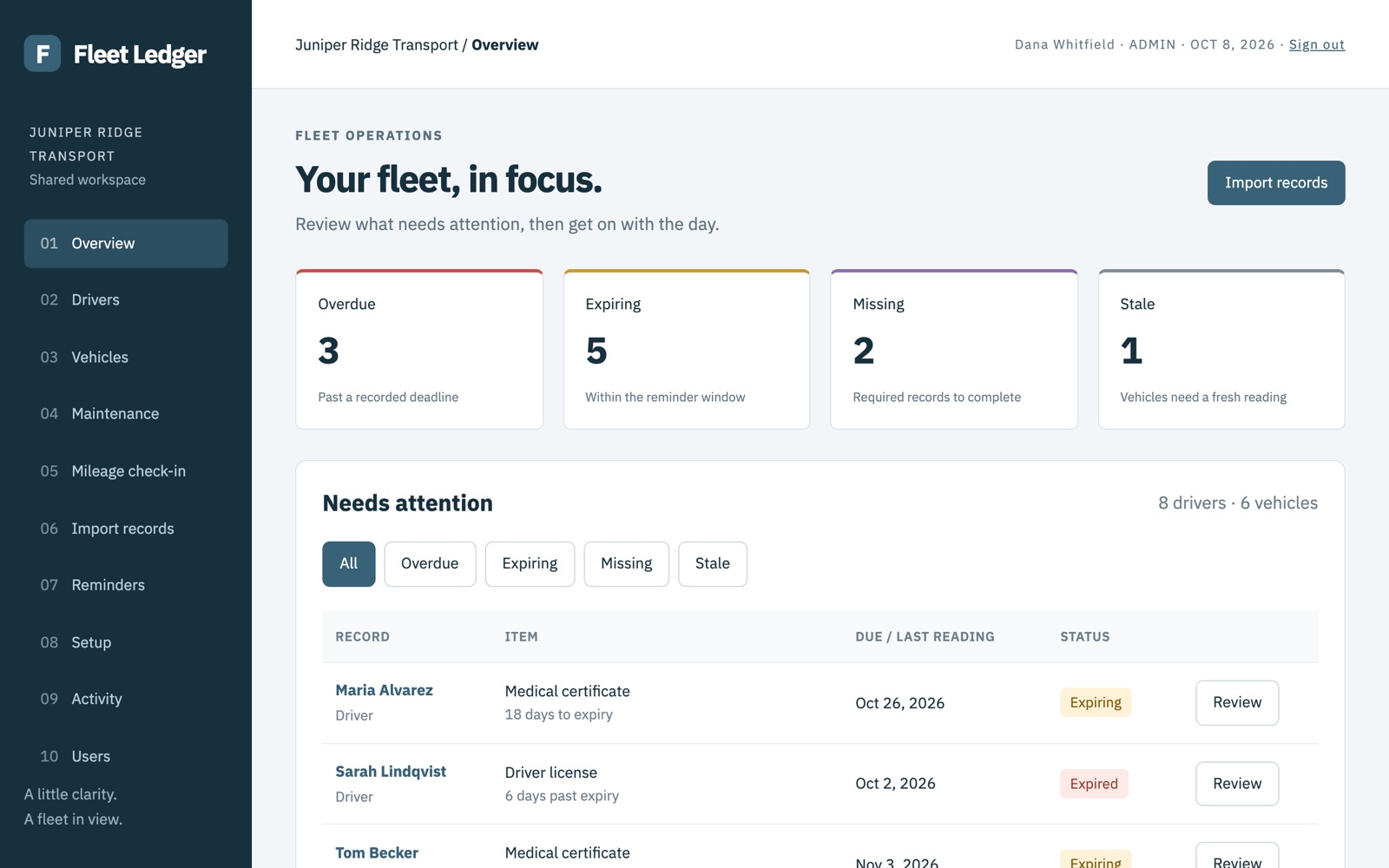
Fleet Ledger keeps your drivers’ credentials and your vehicles’ insurance, registration, inspections and service in one shared record, and reminds the right people before anything lapses.
License, medical card and training dates live with the driver. Insurance, registration, inspections and oil changes live with the vehicle.
The maintenance manager updates vehicles, other managers review, and everyone works from the same records.
Overdue, expiring, missing and out-of-date items are flagged on one screen, and, from launch, in a reminder email.
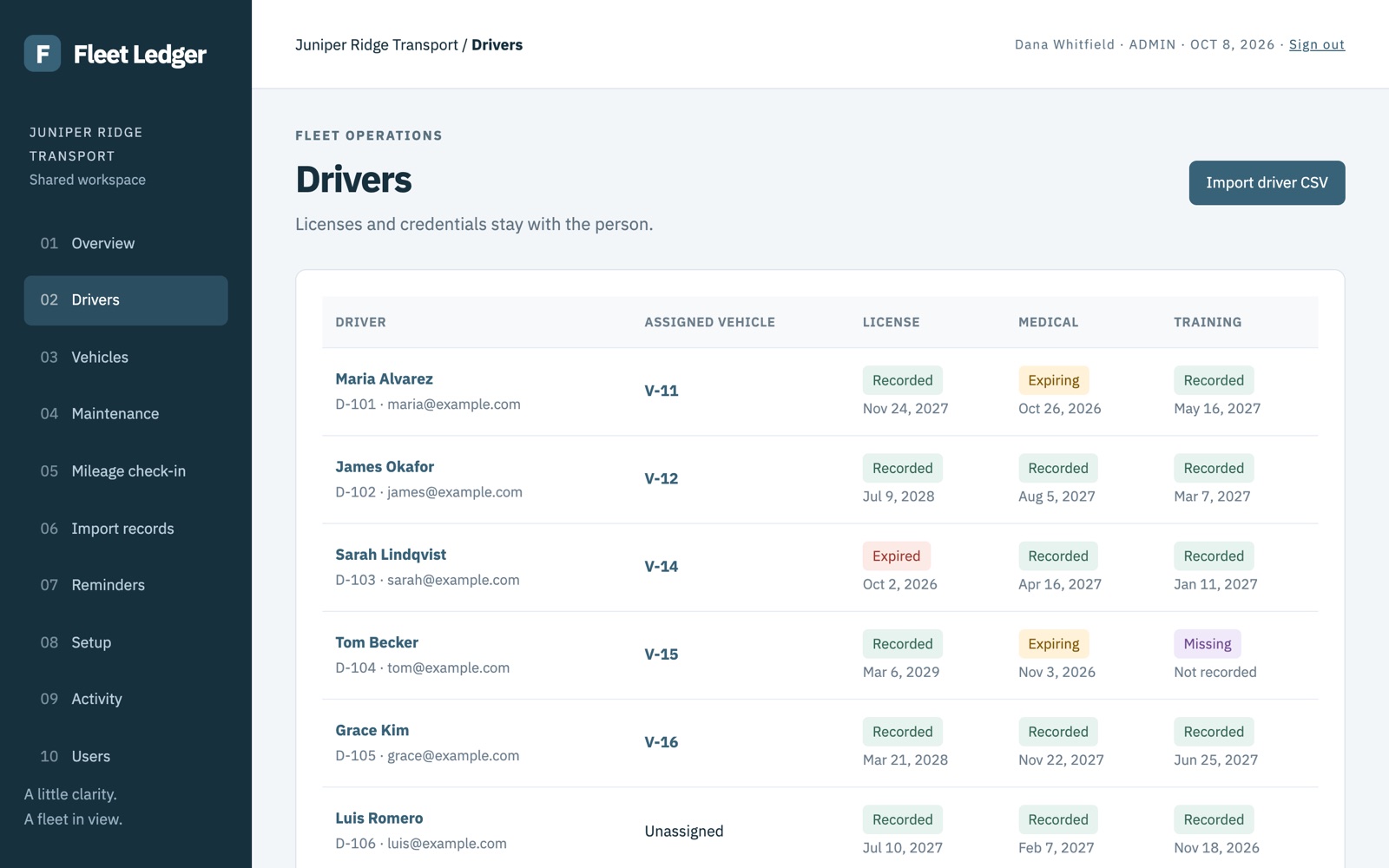
Track each driver’s license, medical certificate and safety training, and which vehicle they drive. When a renewal comes in, record who checked the new document, when, and a short note.
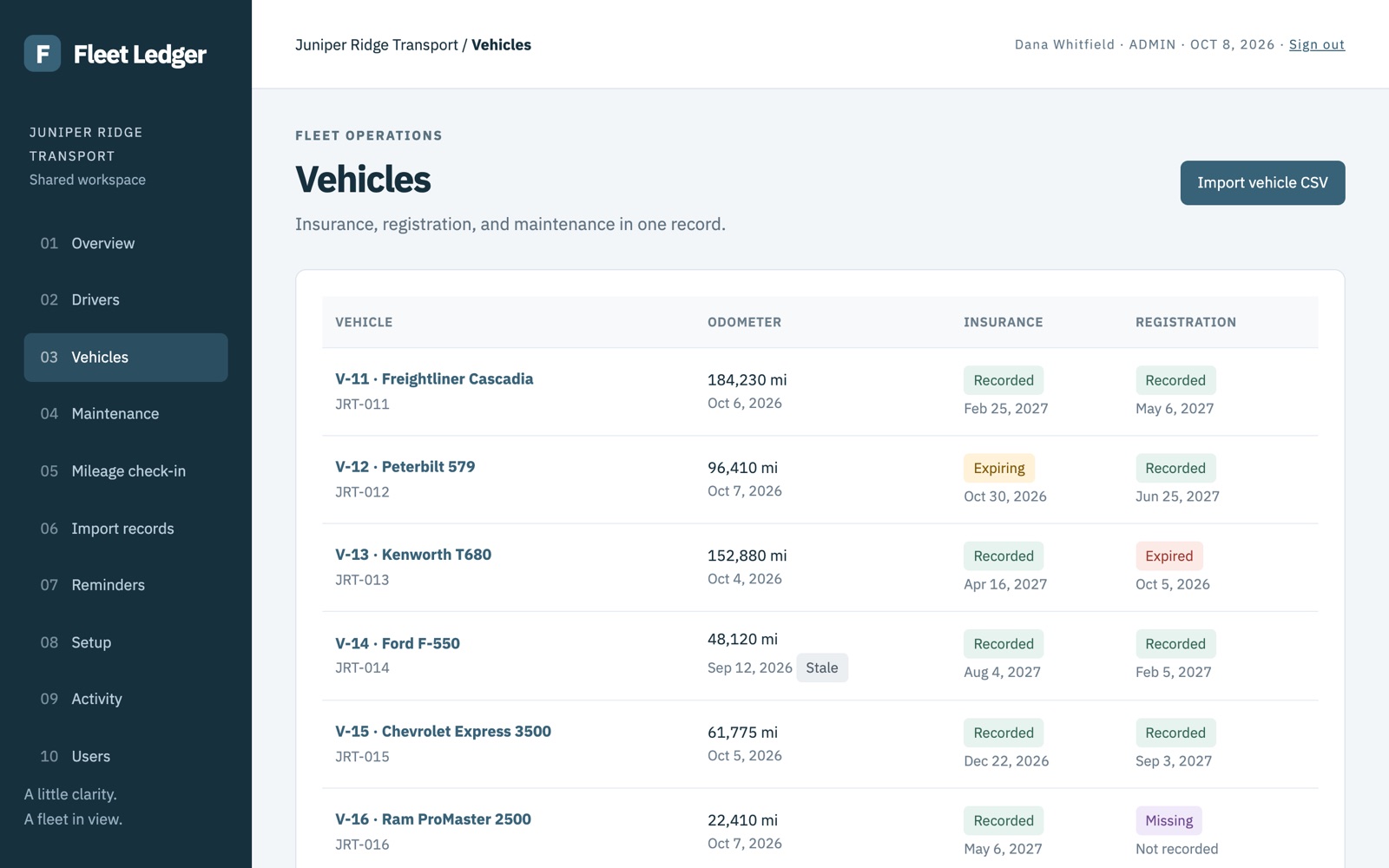
Insurance, registration and annual inspection dates sit next to the odometer and service history. Oil changes are tracked by mileage, and a quick mileage check-in flags readings that are getting old.
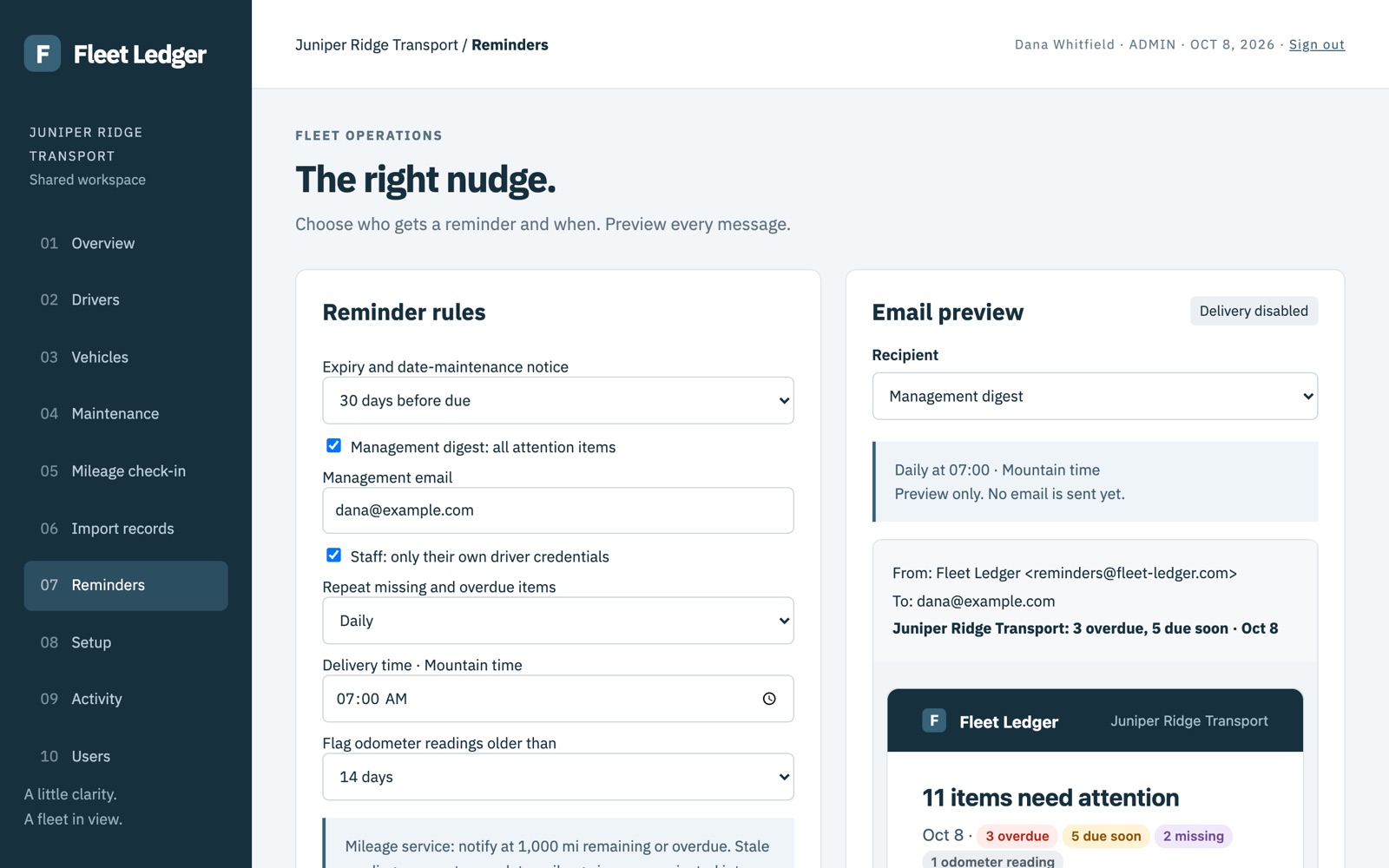
Managers get a daily or weekly digest of everything that needs attention. Drivers can get a note about their own credentials only. You choose how far ahead to warn, and preview every message.
No. It shows the dates and notes your team records, and flags what’s coming due. It doesn’t verify documents with any agency or tell you which rules apply to your fleet.
Yes. An admin can download all your records at any time as spreadsheets plus a full backup file.
With a one-time code sent to their work email, at launch. There are no passwords to manage.
Only the people your admins add to your workspace. Each company’s records are kept separate.
No. Fleet Ledger keeps dates and a short verification note, not document images.
Want to look around first? Try the demo with a fictional company; nothing you enter is saved.
Fleet Ledger is in a pilot with a small number of fleets. We’ll set up your workspace, help import your records and listen to what you need. To ask about joining, email hello@fleet-ledger.com.